

Latest Version
Johnathon Davidson
Tools
Mac
Free
6741585047
Report a Problem
More About StasһSpot
The Problem: The Cluttered Desktop Struggle
For many Mac users, the desktop quickly becomes a chaotic dumping ground for screenshots, temporary downloads, and active project files. While macOS offers stacks and Finder windows, navigating deep folder structures often disrupts your creative flow. StasһSpot file organization tool solves this exact problem by transforming the unused real estate of your screen borders into highly functional, reactive storage zones.
What is StasһSpot?
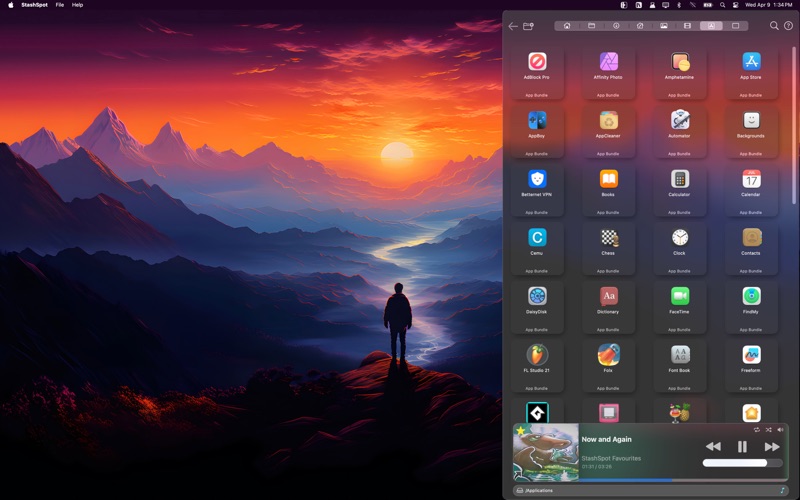
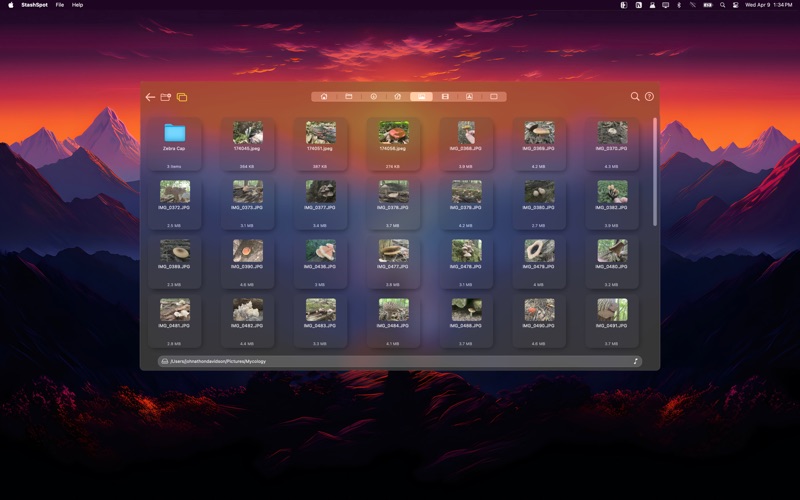
Created by developer Johnathon Davidson, StasһSpot is a utility designed specifically for the macOS platform. It introduces a clever "live edge" system that monitors the six edges of your desktop—including both the side borders and the corners. By simply moving your cursor to these zones, a dedicated stash window appears instantly, allowing you to drag, drop, retrieve, or organize files without opening a single traditional Finder window.
Key Features of the StasһSpot File Organization Tool
- Six Independent Stash Spots: Each of the six desktop trigger zones operates independently, complete with its own custom folder memory, viewing preferences, and quick-access tabs.
- Native System Integration: The utility automatically links to your default macOS folders like Downloads, Music, Pictures, and Movies. You can also configure custom tabs for specific directories.
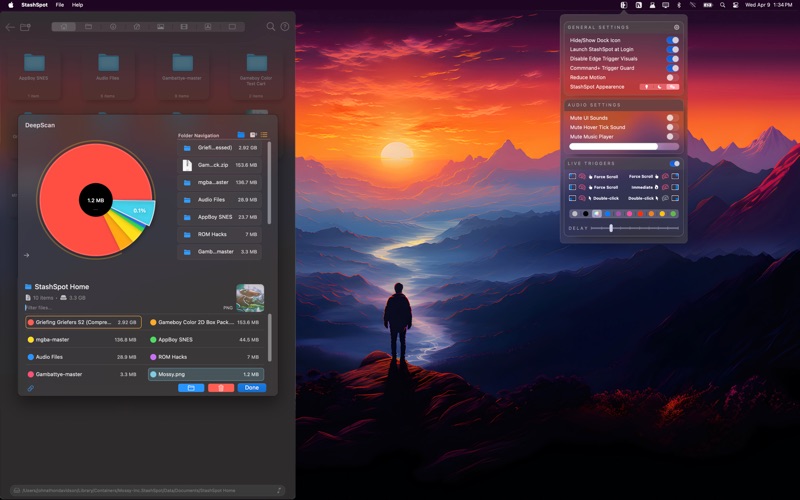
- Flexible Trigger Methods: To prevent accidental activations, you can customize how the panels appear. Choose between instant hovering, a set delay, a mouse scroll, a double-click, or a dedicated global hotkey.
- DeepScan Storage Analysis: Beyond simple file management, the built-in DeepScan mode generates an interactive pie chart. This visual breakdown lets you quickly identify large files and system clutter.
- Built-in Media Player & Launcher: You can launch your favorite applications directly from the interface or manage music playback using live scrubbing, shuffle, and repeat controls.
Who is This macOS Utility For?
This application is highly recommended for power users, digital artists, developers, and anyone who handles dozens of temporary files daily. If you find yourself constantly dragging files to the desktop only to lose them in a sea of icons, this utility offers a structured, out-of-the-way alternative that keeps your workspace pristine.
Final Verdict
By turning passive screen edges into active, intelligent drop zones, StasһSpot provides an elegant solution to desktop clutter. It bridges the gap between manual file sorting and automated workflows seamlessly. To experience this unique desktop workflow upgrade for yourself, head over to the official Mac App Store to explore the application.
Rate the App
User Reviews















Popular Apps










Editor's Choice